

VoIP vs. Traditional Phone Systems for Business: What to Know Before Upgrading
Business communication has changed quickly over the last decade. Many companies still rely on legacy phone infrastructure that was installed years...
7 min read
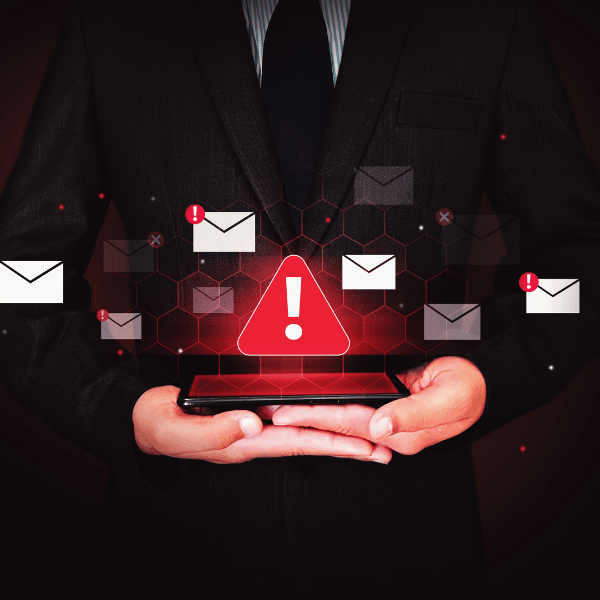
Your accounting manager receives an email from the company president asking for an urgent payment to a new vendor.
The message looks legitimate. It includes the president's name, uses the kind of language they normally use and references a project the company is working on.
Still, the accounting manager hesitates. The payment instructions are different from what they expected.
Then the phone rings.
The caller sounds like the president. They explain that the payment is time-sensitive and ask for it to be processed before the end of the day.
Would your employee question the request after hearing a familiar voice?
That's exactly the situation cybercriminals want to create.
Business email compromise, impersonation scams and AI-generated voice technology are making fraudulent requests more convincing. Criminals don't always need to break into a company's systems to steal money or sensitive information. Sometimes, they only need an employee to believe they're speaking with someone they trust.
The good news is that businesses can make these scams much harder to pull off with a few practical verification procedures.
Most businesses depend on trust to get work done.
Employees recognize their manager's email addresses. Accounting teams communicate regularly with vendors. Administrative staff respond to requests from executives, customers and coworkers.
Those relationships help work move quickly.
Unfortunately, criminals can exploit that familiarity.
An impersonation scam happens when someone pretends to be a trusted person or organization to persuade an employee to take an action they otherwise wouldn't.
That action might involve transferring money, changing payment instructions, sharing confidential documents, purchasing gift cards or providing account credentials.
The request often appears routine enough to avoid suspicion, but urgent enough to discourage questions.
For example, an employee might receive a message that says:
"I'm heading into a meeting. Please take care of this payment now, and I'll explain later."
The message doesn't need to contain malware or a suspicious attachment. Its purpose is to convince someone to act.
That's why even businesses with strong technical security protections need procedures for verifying sensitive requests.
Business email compromise (BEC) is a type of fraud in which criminals impersonate or misuse trusted business email identities to trick employees into sending money, sharing information or taking other unauthorized actions.
Sometimes attackers gain access to a legitimate email account. Other times, they create an address that closely resembles a real one or use a display name that makes a message appear to come from someone familiar.
These tactics often overlap with identity-based cyberattacks, where criminals use stolen credentials or compromised accounts to gain access to business systems and information.
A criminal might impersonate:
These scams can be difficult to recognize because they often resemble normal business activity.
An invoice may look familiar. A signature may match previous emails. The sender may even reference a real project or customer.
In some cases, criminals monitor compromised email conversations before sending a fraudulent request. That allows them to introduce new payment instructions into an existing discussion.
The result is a message that seems to belong exactly where it appears.
Imagine your company receives a monthly invoice from a supplier that you've worked with for years.
This month's invoice arrives with a note explaining that the supplier has changed banks. The message asks your accounting team to use the new account number.
Everything else looks normal.
If the employee updates the payment information without independently confirming the change, the next payment could go directly to a criminal.
The scam succeeds because the request fits an existing business relationship.
The safest response is to verify any change to payment instructions through a trusted contact method already on file.
Don't rely on the phone number or email address included in the change request.
Email impersonation isn't new. What's changing is how easily criminals can make a fraudulent request sound convincing.
AI voice cloning technology can generate speech that resembles a real person's voice using audio samples. Depending on the tools and source materials, the result may sound surprisingly familiar.
Criminals may obtain samples from public videos, social media posts, recorded presentations or other available audio.
They can then use generated speech in a phone call or voice message that appears to come from a company executive, coworker or business contact.
Consider an employee who receives an unusual payment request by email.
They might normally call the executive to confirm it.
But if the criminal can also impersonate that executive's voice, a phone conversation may seem to provide the reassurance the employee was looking for.
That doesn't mean every suspicious call involves AI. Traditional impersonation and caller ID spoofing remain common concerns.
It does mean businesses should stop treating a familiar-sounding voice as sufficient proof of identity.
Sometimes synthetic speech contains unnatural pauses, odd pronunciation or changes in tone.
But those clues aren't reliable enough to serve as a security procedure.
Audio quality, background noise and increasingly sophisticated voice-generation tools can make it hard to distinguish a real caller from an impersonator.
Instead of asking employees to become experts at detecting artificial voices, businesses should establish a better way to confirm important requests.
For example, if someone calls asking for an urgent transfer, the employee can end the conversation and call the person back using a verified number from the company's directory.
A criminal may be able to imitate a voice. They shouldn't be able to control your established verification process.
Not every fraudulent request contains an obvious red flag. Still, several patterns should prompt employees to slow down and verify what they're being asked to do.
The sender claims a payment must happen immediately, an account will be closed or a confidential document is needed before a meeting. Urgency can be legitimate, but it's also a common tactic for discouraging verification.
An executive requests a payment without the usual approval. A vendor asks an employee to skip the standard account-change process. A request that conflicts with company policy deserves extra scrutiny, regardless of who makes it.
A familiar supplier announces a new bank account. A customer asks for documents to be sent to a different email address. Changes involving money or sensitive information should be confirmed independently.
The message says the transaction is confidential or instructs the employee not to discuss it with coworkers. Some business matters are legitimately confidential, but secrecy shouldn't prevent required approvals or identity verification.
A caller insists they can't be reached through their usual number or pressures the employee to stay on the line until the transaction is complete. That resistance is a reason to stop and verify the request through an established channel.
The important lesson: Employees don't need to prove that a message or call is fraudulent before questioning it. An unusual request is enough reason to check.
Technology can help detect suspicious messages and unauthorized account activity, but it can't independently determine whether every payment or information request is legitimate.
Businesses need security controls and everyday procedures that work together.
Here are six practical steps.
Establish a clear rule that changes to vendor banking details, wire instructions, payroll deposits or other sensitive information must be verified through an existing trusted contact method.
For significant payments or unusual financial requests, require approval from a second authorized employee. The person requesting the transaction shouldn't be the only person confirming that it is legitimate. The right approval thresholds will depend on your organization's size, transaction volume and risk.
Compromised email accounts can make impersonation scams especially convincing. Use multifactor authentication, monitor for suspicious sign-ins and review unexpected mailbox forwarding rules or account changes.
Businesses should also implement appropriate email authentication protections, including SPF, DKIM and DMARC, to help reduce unauthorized use of their domains.
These controls won't eliminate impersonation, but they can make certain attacks harder.
Traditional phishing training often focuses on suspicious links, misspelled words and unfamiliar senders. Those lessons still matter, but employees also need to understand that a convincing message or familiar voice can be fraudulent.
Regular cybersecurity awareness training should include realistic examples of executive impersonation, vendor payment changes, payroll diversion and AI-generated voice scams.
Most importantly, employees should know exactly how to verify a request and whom to contact when something feels unusual.
An employee may hesitate to challenge a request that appears to come from the company president or another senior leader. Criminals take advantage of that hesitation.
Leadership should make it clear that employees must follow verification procedures, even when a request comes from the top.
A legitimate executive should welcome quick confirmation before making a large payment or disclosing sensitive information.
Employees need to know what to do when they receive a suspicious request or discover that they may have acted on one.
Provide a clear IT or security contact and encourage prompt reporting. A provider offering managed security services can help businesses monitor suspicious activity, investigate potential account compromises and coordinate a response when a security incident occurs.
The sooner a business identifies potential fraud, the sooner it can investigate and take appropriate action.
If an employee sends money, shares credentials or releases sensitive information in response to a fraudulent request, act quickly.
If money was transferred, contact the financial institution immediately, explain that the payment may be fraudulent and request any available recall or recovery action. Report the incident to the appropriate authorities, including the FBI's Internet Crime Complaint Center at IC3.gov.
If account credentials were shared, contact IT or your security provider immediately. They may need to reset credentials, revoke active sessions, review MFA methods and investigate account activity.
If sensitive business information was disclosed, identify what was shared, who may be affected and whether legal, contractual or regulatory notification requirements apply.
Preserve relevant emails, messages, payment records and call details to support the investigation.
Don't wait for confirmation that an attacker has used the information. Early action can improve the chances of limiting damage.
An employee receives an email from a familiar name. The message references a real project. The caller sounds exactly like someone they know.
None of those details guarantees the request is legitimate.
As impersonation tactics become more convincing, businesses need to make verification a normal part of handling financial transactions and sensitive information.
That doesn't require slowing down every email or phone call.
It means identifying the requests that carry the greatest risk and making sure employees have a dependable way to confirm them.
A quick callback to a trusted number, a second approval or a question to the IT team can prevent an expensive mistake.
Fraudulent requests can expose weaknesses in employee awareness, account security and everyday business procedures.
Fraser's Free Technology Risk Assessment can help you identify potential gaps in your technology environment and security practices so you can make informed decisions about protecting your business.


Business communication has changed quickly over the last decade. Many companies still rely on legacy phone infrastructure that was installed years...
It's 4:45 on a Friday afternoon. An employee gets an email that appears to come from a familiar vendor. There's an invoice attached, and the message...

Technology has come a long way. While we streamlined business processes to stay connected to clients in many ways, that technology comes with a...