
Cost of Business Downtime: What Pennsylvania Businesses Lose Per Hour
Most businesses rely on technology for nearly every part of their daily operations. Email, file access, accounting systems, cloud applications,...
5 min read

Most businesses depend on data to keep daily operations moving. Customer records, financial information, email, Microsoft 365 files and line-of-business applications all play a role. When that data becomes unavailable, even routine work can slow down or stop altogether.
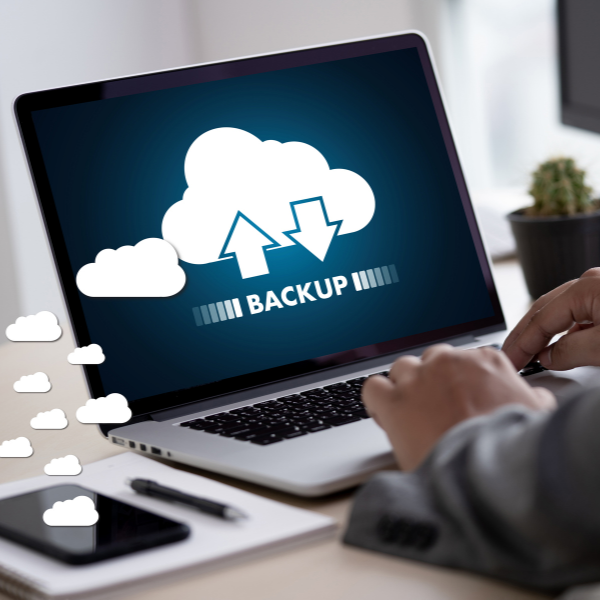
Cloud backup helps reduce that risk. It creates secure copies of your data and stores them in a separate location, making recovery possible after a cyberattack, hardware failure, accidental deletion or other disruption.
Many organizations have some form of backup in place. The more important question is whether those backups support the recovery objectives the business actually needs.

Cloud backup is the process of copying business data to secure off-site storage managed through a cloud platform.
Backups can run automatically on a schedule or continuously throughout the day, depending on the system and the organization's requirements. The goal is simple. If data is lost, corrupted or encrypted by ransomware, a clean copy is available for recovery.
Cloud backup can protect:
Because backup data is stored off-site, it remains available even if a local office experiences equipment failure, theft, fire or some other physical event.
Not sure whether your current backup system provides enough protection? Schedule a free backup assessment to evaluate your recovery capabilities, backup coverage and potential risks.
The amount of business data continues to grow. At the same time, organizations face more pressure to maintain uptime, protect customer information and recover quickly when problems occur.
Cloud backup addresses several challenges that traditional backup methods struggle to solve.
A backup stored on the same network or in the same building as production systems may be exposed to the same risks. Cloud backup creates geographic separation between your data and your primary environment.
Storage needs rarely stay the same. Cloud backup platforms allow businesses to expand protection without purchasing additional backup hardware every time data volumes increase.
Employees now work from offices, homes, job sites and client locations. Cloud backup helps protect data regardless of where devices are located.
Managing backup servers, storage appliances and replacement hardware requires time and resources. Cloud-based solutions reduce much of that burden.
Not sure whether your current backup solution provides the level of protection your business needs? A backup assessment can help identify gaps in coverage, recovery capabilities and long-term resilience.
Cloud backup and local backup serve different purposes. Most organizations benefit from understanding where each approach fits.
Local backups are typically stored on devices located within the office or data center.
Advantages include:
Limitations include:
Cloud backups are stored in secure off-site facilities.
Advantages include:
Limitations include:
Many businesses use both local and cloud backup solutions.
A hybrid strategy combines local backup for fast recovery and cloud backup for long-term resilience. This approach aligns well with the 3-2-1 backup rule and supports stronger business continuity planning.
Organizations evaluating broader recovery planning should also understand how data backup and recovery strategies work together to support business continuity.
Ransomware remains one of the most disruptive threats facing businesses.
When attackers encrypt production systems, recovery depends on whether clean copies of data remain available.
Cloud backup can play an important role in recovery when it includes features such as:
These controls make it more difficult for ransomware to compromise both production systems and backup data.
Cloud backup is not a substitute for cybersecurity controls. It is one component of a broader strategy that includes endpoint protection, security awareness training, access controls and monitoring.
A ransomware attack is often the first time organizations discover gaps in their recovery process. A backup assessment can help identify weaknesses before they become business disruptions.
Cloud backup and cloud storage are often grouped together, but they serve different purposes.
Cloud storage platforms are designed for file access, sharing and collaboration. Services such as Microsoft OneDrive, Google Drive and Dropbox make it easy for users to access files from multiple devices and work together in real time.
Cloud backup is designed for recovery. It creates protected copies of data that can be restored after accidental deletion, corruption, ransomware attacks or hardware failures.
A file stored in cloud storage may sync changes instantly, including unwanted changes. If a file is deleted or encrypted, those changes can be synchronized. Cloud backup solutions maintain recovery points and version history, enabling organizations to restore clean copies of data when issues arise.
Most businesses benefit from both. Cloud storage supports productivity and collaboration. Cloud backup supports business continuity and recovery.
Backup products vary significantly. Features that matter to one organization may not matter to another.
Several capabilities deserve attention during the evaluation process.
Look for encryption during transmission and storage, role-based access controls and multifactor authentication.
The backup process is only half of the equation. Recovery speed matters just as much.
Understand how quickly files, applications and entire systems can be restored.
Backup failures often go unnoticed until recovery is needed. Many organizations rely on managed IT services to monitor backup jobs, investigate failures and verify recovery readiness on an ongoing basis.
Monitoring, alerting and reporting help identify issues before they become larger problems.
Organizations in healthcare, finance, legal services and other regulated industries should confirm that their backup systems comply with applicable requirements.
Some backup issues are caused by technology. Others come from process gaps.
The most common mistakes include:
Regular testing remains one of the most important parts of any backup strategy.
Cloud backup offers flexibility, scalability and protection that many organizations need. The right solution depends on your recovery objectives, compliance requirements, risk tolerance and operational priorities.
For many businesses, a hybrid approach delivers the strongest balance between recovery speed and long-term resilience.
A review of your current backup environment can help identify gaps before they become operational problems.
Q: What is cloud backup?
A: Cloud backup is the process of storing encrypted copies of business data in secure off-site environments so that information can be restored after data loss or system failures.
Q: Is cloud backup secure?
A: Business-grade cloud backup solutions use encryption, access controls and secure data centers to protect sensitive information.
Q: What is the difference between cloud backup and cloud storage?
A: Cloud storage focuses on file access and collaboration. Cloud backup is designed for recovery and business continuity.
Q: Can cloud backup protect against ransomware?
A: Cloud backup can support ransomware recovery when backups are isolated, protected and regularly tested.
Q: How often should backups run?
A: The answer depends on how much data your organization can afford to lose. Backup frequency should align with your recovery objectives and operational requirements.
Data loss can happen for many reasons, including hardware failures, accidental deletion, cyberattacks and natural disasters. A well-designed cloud backup strategy helps ensure your organization can recover quickly and continue operating when disruptions occur.
Cloud backup is only effective if it aligns with your recovery objectives, security requirements and operational needs.
Schedule a free backup assessment to review your current environment and identify opportunities to improve resilience, recovery speed and business continuity.

Most businesses rely on technology for nearly every part of their daily operations. Email, file access, accounting systems, cloud applications,...
If your systems went down tomorrow, how long could your business operate?

Data backup solutions provide a safety net for lost or compromised data due to human error, malicious deletion, cyberattack or even a natural...