
Is Your Business Really Protected? A Guide to Data Backup and Recovery
If your systems went down tomorrow, how long could your business operate?
6 min read
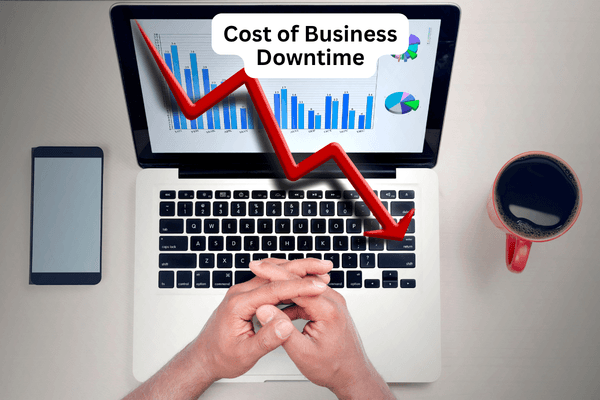
Most businesses rely on technology for nearly every part of their daily operations. Email, file access, accounting systems, cloud applications, phones and cybersecurity tools all work together to keep business moving.
When those systems become unavailable, work slows down or stops entirely.
A hardware failure, ransomware attack, internet outage or power disruption can leave employees unable to do their jobs and customers waiting for answers. Revenue is affected almost immediately. Recovery costs start to accumulate. In some industries, downtime can also create compliance and legal concerns.
The cost of business downtime varies from one organization to another, but even a relatively short outage can create significant financial consequences.
Understanding those costs helps business leaders make informed decisions about backup systems, disaster recovery planning, cybersecurity and overall business continuity.
Business downtime is any period when employees or customers cannot access the technology required to perform normal business functions.
This may involve:
Some downtime is planned. Software updates, infrastructure upgrades and maintenance windows are common examples.
Unplanned downtime is usually more disruptive because it occurs unexpectedly and often requires immediate action.
The cost depends on several factors, including company size, annual revenue, number of employees and reliance on technology.
A manufacturing company may lose production time and miss shipment deadlines. A law firm may lose access to case files and communications. A healthcare provider may be unable to access patient records or scheduling systems.
Most organizations experience two immediate financial impacts during an outage:
Additional costs often follow:
These expenses can continue long after systems have been restored.
A simple calculation can help estimate the direct impact of an outage.
For this example, assume a business has:
Annual revenue divided by 52 weeks:
$10,000,000/52 weeks = $192,308 per week
Weekly revenue divided by 40 hours:
$192,308/40 hours per week = $4,808 per hour
In this example, the business generates approximately $4,808 in revenue every hour.
The average employee costs money even when systems are unavailable.
Assume an average employee cost of $41 per hour, including wages and benefits.
If productivity falls by 80 percent during an outage:
$41 x 80% = $32.80 lost per employee per hour
Across 50 employees:
$32.80 x 50 = $1,640 per hour
Lost revenue: $4,808 per hour
Lost productivity: $1,640 per hour
Total direct downtime cost: $6,448 per hour
The financial impact increases quickly as downtime continues.
| Length of Outage | Estimated Direct Cost |
| 1 hour | $6,448 |
| 4 hours | $25,792 |
| 8 hours | $51,584 |
| 24 hours | $154,752 |
| 3 days | $464,256 |
These figures do not include recovery expenses, customer losses, compliance issues or reputational damage.
Not sure what an outage could cost your organization? A Free Data Backup and Recovery Review can help identify recovery gaps, background weaknesses and potential single points of failure before they affect operations.
Lost revenue and productivity are usually easy to measure.
Other costs are often harder to calculate but can have a lasting impact.
Customers expect reliable service.
When outages affect customer experience, some customers begin looking elsewhere. In competitive industries, even a single disruption can damage long-term relationships.
Downtime creates bottlenecks.
Employees often spend hours waiting for systems to return or attempting temporary workarounds. Once systems are restored, teams frequently face a backlog of work that must be completed under tighter deadlines.
Unexpected outages often require additional spending.
Organizations may need emergency technical support, replacement equipment, cybersecurity specialists or after-hours labor to restore operations.
For businesses operating under regulatory requirements, downtime can affect access to records, audit logs and protected data.
Healthcare organizations, financial institutions, law firms and public sector agencies often face additional requirements related to data availability and security.
Customers and partners notice when service becomes unavailable.
Repeated outages can affect credibility and make future business development more difficult.
Most outages fall into a handful of categories.
Ransomware remains one of the most disruptive causes of downtime.
Attackers frequently target servers, workstations, cloud platforms and backup systems. Recovery may take days if systems cannot be restored quickly.
Strong cybersecurity controls remain one of the most effective ways to reduce the risk of ransomware-related outages. Explore Fraser's Cybersecurity Services to learn how proactive protection can reduce the risk of downtime.
Servers, storage devices, firewalls, switches and other infrastructure components eventually fail.
Without redundancy, a single hardware issue can impact large portions of the business.
Configuration mistakes, accidental deletions and failed software changes continue to be common causes of outages.
Cloud applications have become increasingly dependent on reliable internet access.
A prolonged ISP outage can disrupt communication, collaboration and access to critical business systems.
Storms and utility failures can affect both primary facilities and supporting infrastructure.
Application failures, update issues and compatibility conflicts can interrupt business operations without warning.
Different industries experience downtime in different ways.
Medical providers depend on access to patient records, scheduling systems and clinical applications. Downtime can delay care and create compliance concerns.
Law firms rely on document management systems, communications platforms and secure client records. Outages can affect deadlines and case preparation.
Production systems often depend on network connectivity and specialized software. Downtime may result in missed shipments, delayed orders and production losses.
Banks, accounting firms and financial organizations rely on constant access to sensitive information and transaction systems.
Municipal services often depend on digital systems for communications, records management, public services and reporting.
Consultants, engineers and business service providers rely heavily on technology to support daily client work.
Many businesses view backups as their primary defense against downtime.
That approach is only part of the solution.
A backup is valuable only if it can be restored quickly and reliably.
Organizations affected by ransomware often discover gaps in their recovery plans during the recovery process. Backups may be incomplete. Recovery procedures may not have been tested. Critical systems may take longer to restore than expected.
Recovery planning should address both data protection and operational recovery. A properly designed Backup and Disaster Recovery solution helps businesses restore systems faster and reduce the operational impact of ransomware and other disruptions.
The objective is not simply restoring files. It is restoring business operations.
Two measurements help organizations define recovery expectations: RTO and RPO.
RTO measures how quickly systems must be restored after an outage.
A company that can tolerate four hours of downtime has an RTO of four hours.
RPO measures how much data loss is acceptable.
If an organization can tolerate only 15 minutes of lost work, backups must occur frequently enough to meet that requirement.
Recovery objectives should align with a broader business continuity plan that outlines how critical operations will continue during a disruption.
Pennsylvania businesses face many of the same cybersecurity and operational challenges as organizations across the country.
A disruption that lasts several hours may create operational challenges. A disruption that lasts several days can affect revenue, customer relationships and long-term business performance
Determine which applications, servers and data are most important to business operations. Recovery priorities should reflect business priorities.
A secondary internet connection can help maintain operations during ISP outages.
Keep backup copies separate from production systems.
A combination of local and cloud-based backups provides additional protection.
Recovery should not depend on a single location or platform.
Organizations should be able to restore systems wherever it makes the most business sense.
Recovery plans should be tested regularly. Testing identifies problems before an actual outage occurs.
Backup failures often go unnoticed until recovery is needed. Regular monitoring helps ensure backup systems continue working as expected.
If several of these warning signs apply to your organization, it may be time to review your backup and recovery strategy.
Schedule a Free Backup and Recovery Review to identify vulnerabilities and prioritize improvements.
Many businesses discover weaknesses only after an outage occurs.
Common warning signs include:
Addressing these issues before an outage reduces both risk and recovery time.
Every organization has different recovery requirements, risks and vulnerabilities.
A Free Technology Review from Fraser can help you evaluate your current backup strategy, recovery capabilities and cybersecurity posture. We'll identify potential gaps and provide practical recommendations to strengthen resilience.
Or learn more about our Managed IT Services, Cybersecurity Solutions and Backup and Disaster Recovery Services.

If you're unsure how much downtime could cost your organization, a technology assessment can identify potential risks and recovery gaps.
Our team will review your current backup and disaster recovery strategy, evaluate recovery capabilities and provide recommendations to strengthen resilience, security and compliance.
Schedule a Free Technology Review to learn where your organization stands and what improvements may be worth considering.
Q: What is the average cost of business downtime?
A: The cost varies by industry, company size and reliance on technology. Even a short outage can result in thousands of dollars in lost revenue and productivity.
Q: How do businesses calculate downtime costs?
A: Most organizations calculate lost revenue, lost productivity, recovery expenses and other operational impacts associated with the outage.
Q: What causes the most business downtime?
A: Common causes include ransomware, hardware failures, software issues, human error, internet outages and power disruptions.
Q: What is the difference between backup and disaster recovery?
A: Backups protect data. Disaster recovery focuses on restoring systems and business operations after an outage.
Q: How often should disaster recovery plans be tested?
A: Most organizations should test recovery procedures at least twice per year. Higher-risk environments may benefit from quarterly testing.
Q: What is a reasonable recovery time objective?
A: The answer depends on business requirements. Critical systems often require recovery within hours, while less important systems may allow longer recovery windows.
Q: Can cyber insurance cover downtime losses?
A: Some policies include business interruption, but coverage varies. Organizations should review policy details carefully.
Q: How can businesses reduce downtime risk?
A: Strong backups, cybersecurity controls, redundancy, recovery planning, monitoring and regular testing all help reduce downtime and improve recovery outcomes.
If your systems went down tomorrow, how long could your business operate?

Most businesses depend on data to keep daily operations moving. Customer records, financial information, email, Microsoft 365 files and...
Data backup solutions provide a safety net for lost or compromised data due to human error, malicious deletion, cyberattack or even a natural...