

Production Printing - Why In-House Options Are Right For Your Business
While the internet, TV, video and social media can disseminate your company's message across many channels, printed collateral still plays a big role...
5 min read

High-quality image printing depends on control. When images come out sharp and colors stay consistent, your materials reflect the standard you're aiming for.
That standard shows up in everyday moments. A sales sheet, a proposal or a piece of direct mail often speaks before anyone on your team does.
For many businesses, print still plays a central role in marketing, sales and operations. Teams working with providers like Fraser often see how small improvements in print setup can create more consistent results across the board.
This guide covers what actually affects print quality and how to improve results in a way that holds up over time.
High-quality image printing produces visuals that are sharp, color-balanced, and consistent across every copy.
Several elements influence the outcome:
When these pieces line up, the result looks intentional rather than incidental.
Printed materials shape perception in quiet ways. People notice clarity and color even if they don't call it out
A clean, well-produced piece suggests precision. A dull or pixelated print suggests something else.
In industries where proposals, presentations or leave-behinds matter, those details can influence how your business is perceived before a conversation even begins.
There's also a practical side. Reprints, wasted supplies and delays tend to trace back to preventable quality issues.
Resolution controls how much detail an image holds. For print, 300 DPI is the accepted standard.
Lower resolution files lose sharpness quickly. This shows up most often when images pulled from websites are reused for print purposes.
Printer technology directly affects how images are produced and how consistently they remain over time.
Modern laser printers and multifunction devices have evolved well beyond their earlier limitations. Today's devices are designed to handle detailed graphics, gradients and color consistency with a high degree of accuracy.
That improvement comes from several key advancements.
Paper affects how ink or toner interacts with the surface. Glossy finishes tend to enhance vibrancy, while matte paper softens contrast and reduces glare. Standard office paper absorbs material unevenly, which can flatten images and reduce clarity.
Screens display RGB (red, green, blue) color, while printers use CMYK (cyan, magenta, yellow and black). Without proper conversion, color shifts are common.
Consistent color profiles help maintain alignment between digital files and printed output.
Default settings favor speed. Adjusting them improves output immediately. Focus on high-quality print mode, correct sizing and file formats that preserve detail, such as PDF or TIFF. These adjustments take moments and prevent the most common issues.
Most print problems follow familiar patterns.
A clear process removes variability.
Start with a properly sized 300 DPI file. Convert colors to CMYK when needed. Export using a format that preserves detail, like PDF or TIFF.
Before printing, confirm the correct paper type. Turn off automatic scaling to avoid distortion. Select the highest quality mode available.
Run a test print and review it closely before producing larger quantities.
If you'd rather not troubleshoot print settings every time, Fraser can help you standardize your setup so results stay consistent without the extra effort. Get your free print assessment.
The decision is no longer as simple as it once was.
In the past, inkjet was often the default recommendation for image quality. That assumption stemmed from limitations in older laser devices, particularly regarding gradients and color depth.
Modern laser technology has changed that equation.
Businesses working with Fraser often move toward advanced laser production print systems because they offer both consistency and efficiency. The ability to produce high-quality materials at speed becomes a practical advantage, not just a technical one.
Inkjet still has a place in specialized use cases, particularly fine art or photo-specific workflows. For most business environments, laser now delivers the balance many teams need.
At some point, adjustments stop making a difference.
You may see color variation between prints or spend time reprinting materials that don't meet expectations. Output may slow down during busy periods, and supply costs may rise without clear visibility.
These issues tend to show up in growing businesses where print demand has outpaced the original setup.
This is usually the point where a quick print assessment helps clarify what's causing the inconsistency and what needs to change.
Production print or high-volume print systems are built for consistency, precision and volume. They handle image-heavy workloads without the variability that comes with standard office devices.
These systems deliver tighter color control, higher resolution output and better media handling. The result is sharper images and more reliable output across large runs.
They also support a wider range of materials, including heavier stocks and specialty media used for marketing campaigns and customer-facing documents.
For organizations that regularly produce brochures, direct mail, or presentation materials, production print provides stability in both quality and turnaround time.
Fraser helps businesses evaluate when this transition makes sense and what level of production capability aligns with their needs.
Not every business needs production equipment, but certain patterns make the decision clearer.
Frequent repairs can slow teams down. Large print volumes can strain office devices. Marketing materials may not reflect the level of quality your brand requires.
Businesses that rely on printed materials to support sales or customer communication often reach a point where upgrading becomes less a matter of preference and more a matter of efficiency.
The right setup depends on how printing fits into your daily operations.
Some organizations need consistent, high-quality output for client-facing materials. Others prioritize speed and internal efficiency.
In many cases, the best solution comes from evaluating your current environment, identifying gaps and aligning equipment with actual usage rather than assumptions.
Fraser works with businesses to assess print environments, recommend the right mix of office and production equipment and ensure long-term consistency without unnecessary complexity.
300 DPI provides the detail needed for professional-quality prints.
Blurry output usually comes from low-resolution files or incorrect scaling. Remember, website downloads are not print-quality images.
Most high-end laser printers can produce sharp detail and consistent color, making them a strong option for many business and marketing applications.
PDF and TIFF formats help preserve image quality and consistency.
Strong print results come from alignment. When files, settings, materials and equipment work together, output becomes predictable.
That consistency supports everything from internal workflows to customer-facing materials.
If your current setup struggles to meet quality or volume demands, it's worth taking a closer look.
Start with a Print Assessment from Fraser
Get a clear picture of where quality issues and inefficiencies originate, along with practical recommendations.
Review your current equipment and output
Identify whether your devices are limiting quality or slowing down production.
Explore production print options that match your workload.
See how modern systems can improve clarity, consistency and efficiency.
The goal is simple. Better output, fewer disruptions and a setup that supports how your business actually operates.


While the internet, TV, video and social media can disseminate your company's message across many channels, printed collateral still plays a big role...
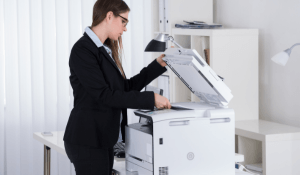
The humble office printer. It hums away, churning out reports, invoices, and countless documents that fuel the daily grind. But what if, instead of a...
.png)
If you're deciding between laser vs. inkjet printers for your business, you're not alone. Many organizations start by grabbing an inexpensive inkjet...